This document consists a guideline for Developer to use PKI solution provided by ThrivoSign. In this document, this guide will be divided into 2 main guidelines:
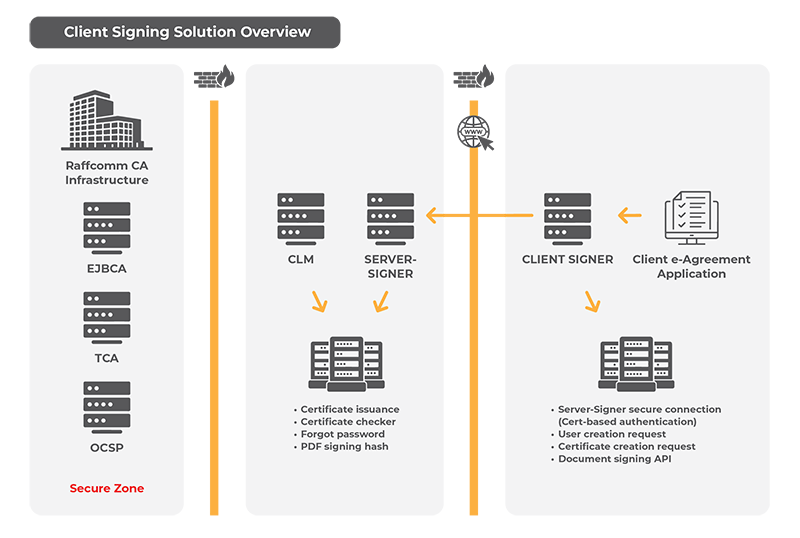
Developer needs to authenticate to establish a secure connection to Server-Signer REST API.
User Digital Certificate Issuance (Client application will call this API to generate user digital certificate)
User Agreement PDF signing API (Client application call this API to sign the PDF document for example a) Loan Applicationb) Facility Agreement and etc.
Certificate issuance API is used to generate user digital certificate. This digital certificate later will be used to sign PDF document.
Installation
CLIENT-SIGNER application deployed as web services application in client environment.
CLIENT-SIGNER need to configure to establish secure connection to ThrivoSign SERVER-SIGNER.
API Functions (Client Signing)
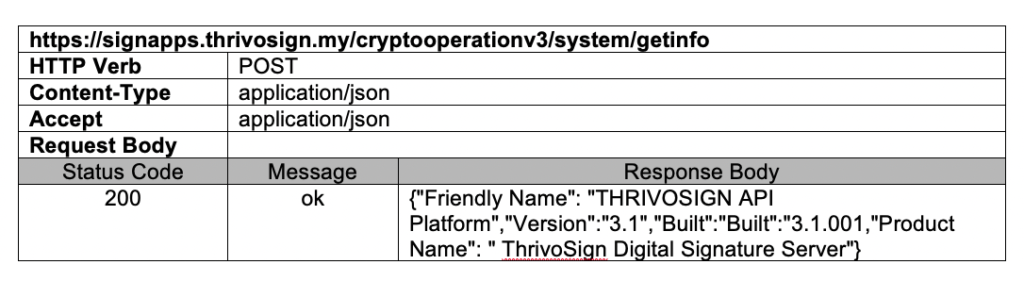
Function : System Info
Application use this function to retrieve latest version of the deployed system.
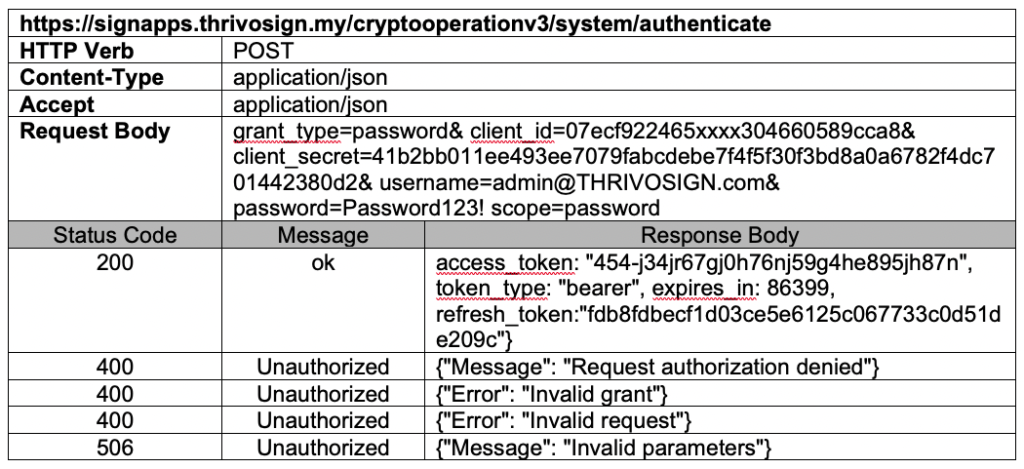
Function : Authentication
Every API request must be authenticated. ThrivoSign provides OAuth2 authentication grants and a legacy authentication mechanism. The purpose of each authentication scheme is to obtain an “access token” that you can use to authorize calls to the API.
ThrivoSign uses OAuth 2.0 to authorize client requests. The parameters required to authenticate a client application and retrieve an OAuth 2.0 access token are “grant type”, “Client ID”, “Client Secret”, “User Name”, and “Password”.
The “Scope” variable can be used when identifying a specific enterprise user as the target for operations. ThrivoSign only implement the grant type of “Password” for now.